
AI Kitchen Design from Photo
Upload a clear photo of your kitchen to explore cabinet finishes, countertop materials and new color combinations. Choose a style or describe the changes you want. Generating images requires paid credits.

Explore New Ideas for Your Kitchen Photo
Use your photo as a reference for new kitchen concepts. Review each result against the original because AI can change room details.
Kitchen Visualizer Using Your Photo
A kitchen visualizer using your photo starts with the space you already have. Include cabinets, windows, counters and appliances in the image so you can compare the generated concept with your current kitchen.
Upload your photo to KitchenDesign.io, then choose a preset such as Modern, Farmhouse or Industrial, or write custom instructions. You can request new cabinet colors, countertop materials, backsplash, lighting and flooring. Generate additional concepts within your credit allowance to compare ideas.
Use the images to discuss a style direction with a contractor or partner. They are concepts: dimensions, appliance clearances, material colors and structural details need checking separately before ordering or building.
Focus on finishes with the kitchen cabinet visualizer, or sketch a layout with the free 2D kitchen planner.
How AI Kitchen Design from Photo Works
Create kitchen concepts from your photo in three steps
1. Upload Your Kitchen Photo
Choose a clear, well-lit JPEG, PNG, WebP or AVIF photo showing the areas you want to redesign.
2. Choose Your Changes
Pick a preset style or add custom instructions for finishes, colors and details you want to explore.
3. Generate and Compare
Sign in and use paid credits to generate concepts. Compare each image with your photo and download the ideas you want to discuss.
A photo walkthrough you can follow
Start with one clear photo and one style direction. This makes it easier to tell whether a new concept answers your request.
- Choose the source. Use a wide view that shows your cabinet runs, window and major appliances. You can download the example photo used on this page to explore the workflow without uploading a personal photo.
- Set a starting point. In the photo design tool, choose Kitchen, Pick a Style, Modern and Refresh. Refresh requests surface changes; it does not lock every feature in place.
- Generate and compare. Check the displayed credit cost before generating. Compare each result with the original, looking first at the window, sink, appliance positions and cabinet arrangement.
- Keep a useful direction. Download a concept you want to discuss. If one detail needs work, describe that detail in a refinement; further generation uses credits.
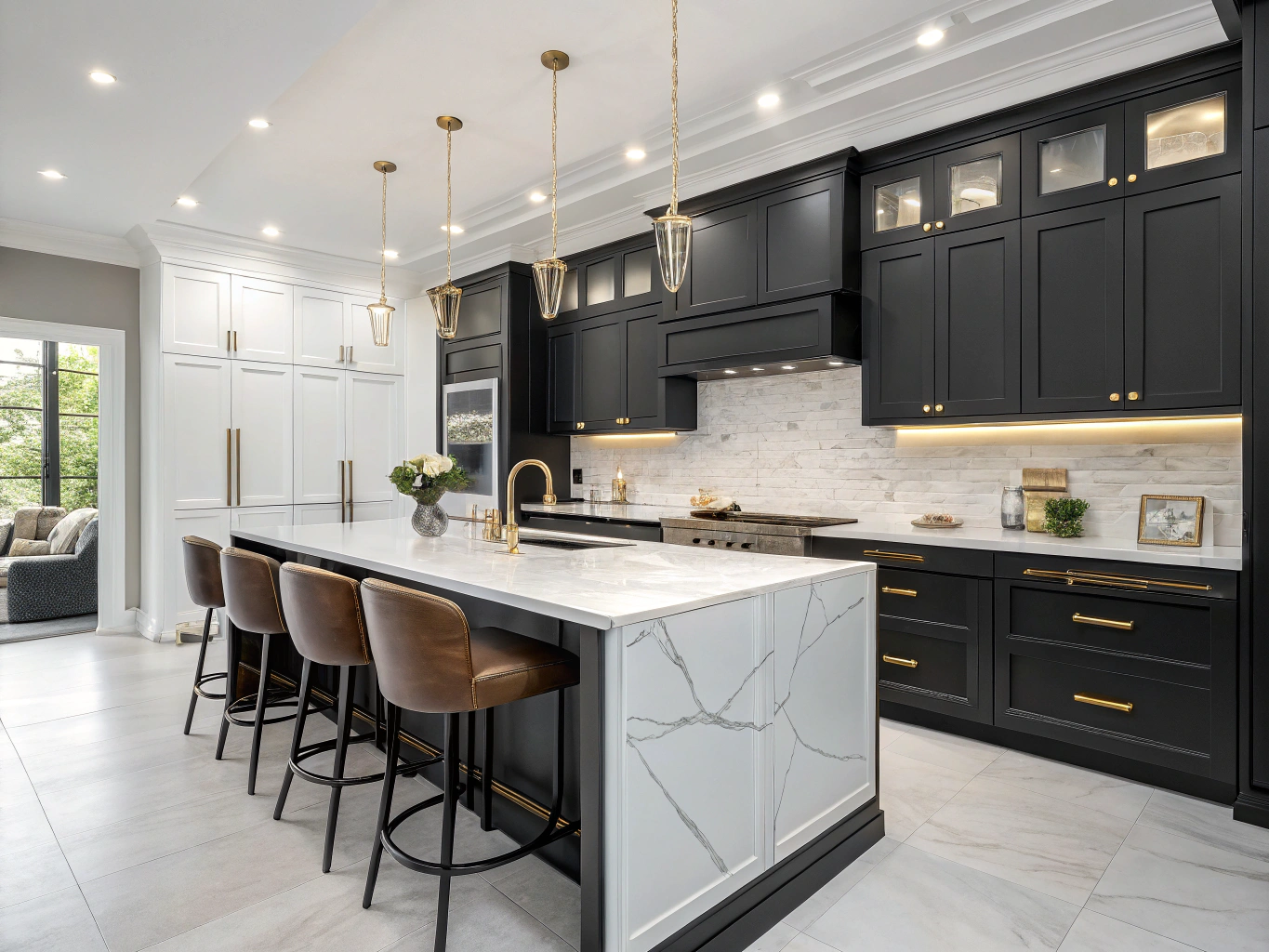
In our 13 September 2026 product check, the example photo with Kitchen / Modern / Refresh returned two images and used two credits. Comparison controls and image download were available. This records one completed workflow; it is not a promise of identical results or generation time.
When a result needs another look
- If an appliance or window moves, treat that part of the image as an idea, not confirmation that the change will fit.
- If a finish looks different between images, compare a physical sample in your room before choosing a product.
- If your main question is where things fit, use measurements and the free 2D planner alongside the visual concept.
Why Choose AI Kitchen Design from Photo?
Explore Visual Ideas
Compare cabinet finishes, flooring and other design choices using your photo as a starting point.
Start with Your Existing Space
Your photo guides the design. AI can alter proportions or omit details, so check the result against your measurements.
Multiple Style Options
From modern to traditional, get various design styles applied to your kitchen photo for comparison.
Realistic Visualizations
AI-generated images help you explore a possible style direction before choosing physical samples.
Tips for the Best Kitchen Photo Upload
Use these tips to make the important parts of your kitchen easier to see in the uploaded photo.
Shoot from the Corner
Stand in a corner of your kitchen and aim toward the opposite corner. This captures the most walls, cabinets, and counter space in a single frame.
Use Natural Light
Photograph the room in even light so cabinet colors and surfaces are visible. Avoid glare and deep shadows.
Clear the Clutter
Clear loose items from counters and tables so the surfaces and cabinet edges are easy to see.
Landscape Orientation
A horizontal photo can capture a wider view. Keep the camera level to reduce perspective distortion.
Include Key Features
Make sure your photo shows the cabinets, countertops, backsplash, and appliances. The AI uses these elements to generate realistic redesigns.
Take Multiple Angles
Take a few photos from different angles and choose a clear main view. You can explore other views in separate generations; results may differ between images.
Frequently Asked Questions
Everything you need to know about AI kitchen design from photo
How do I redesign my kitchen from a photo using AI?
Upload a clear kitchen photo, choose from 18 preset styles or add custom instructions, then sign in and use paid credits to generate redesign concepts. Plans start at $14/month with a set credit allowance.
What file formats can I upload for AI kitchen design?
The tool accepts JPG, PNG, WEBP, and AVIF photo files.
Can I design my kitchen from a phone photo?
Yes. Use a clear, well-lit phone photo that shows the cabinets, counters and room layout. A view from a corner often captures more of the space.
Will the AI preserve exact dimensions and layout?
No. A photo-based AI concept can change proportions, fixtures or room details. Check dimensions, appliance clearances and structural requirements separately. For a manual layout sketch, use the free 2D kitchen planner.
Ready to Transform Your Kitchen from a Photo?
Explore a new direction for your kitchen before choosing materials. Plans start at $14/month with a set allowance of paid credits.